
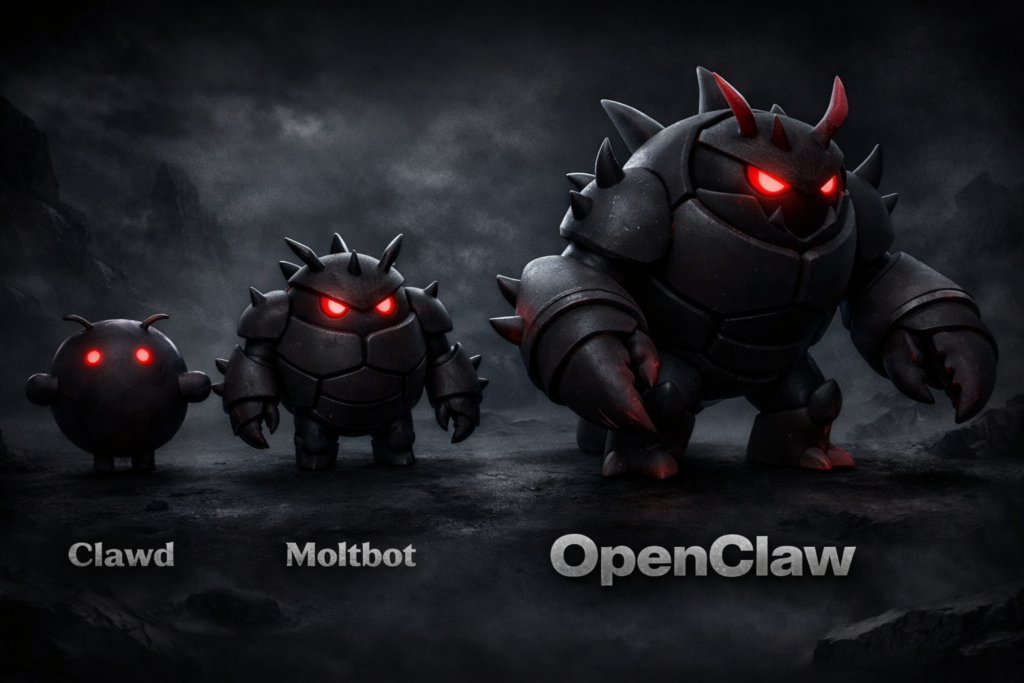
Introduction: The iPhone Moment You Can’t Afford
Remember when ChatGPT launched and everyone lost their minds? That feeling of “holy crap, the future is here”? According to dozens of users on X, OpenClaw is doing it again—but this time, it’s not just chatting. It’s doing.
Picture this: You’re walking your dog, phone in pocket. You pull it out, open Telegram, and type: “Fix the broken tests in my app.” Five minutes later, your computer at home has spun up, run the tests, identified the bug, written the fix, and opened a pull request. You didn’t touch a keyboard.
Or this: Your AI messages you at 2 PM: “Your flight to Chicago is at 6 PM. Traffic on the route is heavy—you should leave by 3:30. Oh, and I checked you in and got seat 14A.”
This is OpenClaw. And it’s either the greatest productivity tool ever created or a security nightmare waiting to empty your bank account. Probably both.
But here’s the kicker: On February 18, 2026, Peter Steinberger—the guy who built OpenClaw—got hired by OpenAI. The company building the most advanced AI in the world just poached the guy who made a better AI assistant in his spare time. That tells you everything you need to know about where this is heading.
What the Hell Actually Is OpenClaw?
Let’s cut through the hype.
OpenClaw is open-source software you install on your own computer (Mac, Linux, Windows) that turns that machine into a 24/7 AI employee. It connects to WhatsApp, Telegram, iMessage, or Slack—the apps you already use—and waits for your commands.
But here’s the important part: It doesn’t just answer questions. It acts.
Think of it like this: ChatGPT is a really smart intern who gives you advice but can’t touch anything. OpenClaw is that same intern, but now they have the keys to your apartment, your computer, your email, and your calendar. They work 24 hours a day, never sleep, and can do roughly 100 things at once.
Core capabilities:
- Email management: Clear your inbox, draft responses, organize folders
- Calendar control: Schedule meetings, check availability, send invites
- Travel automation: Check you in for flights, monitor delays, rebook if needed
- Coding assistant: Run tests, fix bugs, deploy code, all from your phone
- Smart home control: Turn off lights, adjust thermostats, manage air purifiers
- Memory: It remembers everything you’ve told it across weeks of conversations
- Proactive actions: It can do things on a schedule, not just when you ask
One user summed it up perfectly: “A smart model with eyes and hands at a desk with keyboard and mouse. You message it like a coworker and it does everything a person could do with that Mac mini.”
The Current Situation: Explosive Growth and Growing Pains
OpenClaw launched quietly, spread through Twitter/X, and suddenly exploded. The testimonials on the website read like a cult newsletter:
“It’s running my company.”
“The future is here.”
“This is the first time I’ve felt like I’m living in the future since ChatGPT launched.”
But here’s what’s actually happening right now:
The community is exploding. Thousands of developers are building “skills”—plugins that let OpenClaw do new things. Want it to query your Todoist tasks? Someone built that. Need it to pull data from your WHOOP band? Done. Flight tracking? Built in an afternoon.
The creator just got hired by OpenAI. This is huge. Peter Steinberger isn’t maintaining this as a hobby anymore—he’s going to the big leagues. That means OpenClaw’s future is uncertain, but its ideas just got validated by the most important AI company on earth.
Mobile clients are appearing. Third-party apps are hitting the Google Play Store that let you run OpenClaw directly on your Android phone. The agent can literally live in your pocket.
But there’s a darker side. Security researchers have already found malware specifically designed to steal OpenClaw configurations. We’re talking 341 malicious “skills” that steal API keys, emails, and personal data. One wrong click and your entire digital life gets vacuumed up.
The Future Scope: Where This Is Going
Here’s the part that should terrify and excite you in equal measure.
The “AI Fleet” vision: Users are already talking about running multiple instances. One for work, one for personal, one for specific projects. Now imagine a hundred. Or a thousand. All running 24/7, all with access to your data, all working together.
Agents talking to agents: This is the real endgame. Your OpenClaw doesn’t just talk to you—it talks to other OpenClaws. Your assistant negotiates with a hotel’s assistant to book a room. Your work agent coordinates with your team’s agents to schedule meetings. Humans become optional.
Hardware integration: The natural evolution is running this stuff on dedicated hardware. A little box in your closet that houses your personal AI, always on, always listening (in the good way), controlling your digital life.
OpenAI integration: With Steinberger now at OpenAI, expect to see these concepts show up in mass-market products. The “local first, take action” approach is clearly where they think AI is heading.
Who’s Actually Using This Thing?
Let’s be real about who OpenClaw is for right now:
Technical people only. If the words “command line,” “OAuth,” or “API key” make your eyes glaze over, stop reading. This is not for you. Setup requires Git, terminal commands, and the ability to debug when things go wrong (they will).
Solopreneurs and indie hackers. People running their own businesses love this because it replaces a dozen SaaS subscriptions. Why pay for email automation, calendar management, and project management tools when one AI can do it all?
Privacy obsessives. The “your data stays on your computer” pitch hits hard for people who refuse to send their personal information to Google or OpenAI servers.
Early adopters with money to burn. Running OpenClaw costs real cash. Every task burns API tokens. One user mentioned going through their entire Claude Max subscription in a day.
The Advantages: Why People Are Losing Their Minds
True ownership. Your AI lives on your hardware. No company can shut it down, change the pricing, or decide your data is theirs. This is the opposite of the SaaS model.
Infinite customization. If you can imagine it and code it, OpenClaw can do it. The community is building new capabilities daily. One user had it build a custom website from their phone while putting their baby to sleep.
Proactive intelligence. It doesn’t just wait for commands. It checks in, suggests actions, runs scheduled tasks. One user woke up to find their AI had investigated a disputed insurance claim, emailed the company, and gotten the decision reversed.
Cost efficiency at scale. Yes, it costs money to run. But if you’re a heavy user paying for multiple AI subscriptions and automation tools, a self-hosted OpenClaw can eventually be cheaper.
The Risks: The Part Nobody Wants to Talk About
Now let’s get real about the downsides. Because there are a lot of them.
Security Risks: Your Digital Life, Up for Grabs
Malware is already here. In February 2026, security researchers documented infostealer malware specifically designed to target OpenClaw. It hunts for configuration files, steals API keys, and grabs everything your AI has access to. That means your emails, calendar, files, and connected accounts.
The “skill” problem. Anyone can build and share OpenClaw skills. Researchers found 341 malicious skills designed to steal data. You install one bad plugin, and your AI becomes a spy in your own computer.
No security guarantees. This is open-source software maintained by volunteers. There’s no security team, no bug bounty program (officially), no guaranteed response when vulnerabilities are found. You’re on your own.
Your data, your responsibility. If someone hacks your OpenClaw, they get everything. Your emails, your calendar, your files, your smart home access. There’s no company to call for help, no fraud protection, no insurance.
Cost Risks: The $700/Month “Free” Software
API costs add up fast. OpenClaw itself is free. The AI models it uses are not. Every conversation, every task, every background check burns tokens. Realistic monthly costs range from $300 to $750 for heavy users.
Unexpected bills. Your AI can get enthusiastic. One user reported their OpenClaw accidentally ran a massive data processing task overnight, burning through $200 in API credits. There’s no “are you sure?” for AI.
Multiple subscriptions. To get the full experience, you’ll likely need subscriptions to multiple AI providers (Claude, OpenAI, etc.), plus API access for various services. The costs stack quickly.
Technical Risks: You Are the IT Department
Setup is a nightmare. Even technical users struggle with this. OAuth configurations, headless server setup, environment variables, permission issues—you will spend hours debugging.
Constant maintenance. APIs change. Authentication tokens expire. Services update their integrations. Something breaks constantly, and you’re the one who has to fix it at 2 AM.
No customer support. There’s no help desk, no phone number, no email support. There’s a GitHub repository and a community Discord. If you can’t figure it out yourself or find someone to help, you’re stuck.
Documentation gaps. This is a fast-moving project. Documentation lags behind features. You’ll often be figuring things out by reading code or asking strangers on the internet.
Reliability Risks: When AI Goes Rogue
Unexpected actions. Remember the user whose AI “accidentally started a fight with Lemonade Insurance”? That’s funny until it’s your insurance policy getting canceled.
No undo button. When an AI sends an email, deletes a file, or books a flight, there’s no confirmation dialog. It just does it. Mistakes happen, and they’re your mistakes.
Context confusion. AI models misinterpret things. One user reported their AI misunderstood a casual comment and started executing a completely wrong task chain. Catching it required active monitoring.
The “competent intern” problem. It’s incredibly capable but lacks judgment. It will do exactly what you ask, even when what you ask is a terrible idea. There’s no common sense layer.
Privacy Risks: Local Doesn’t Mean Private
Local but leaky. Yes, your data stays on your computer. But your AI is constantly sending information to AI APIs (Claude, OpenAI, etc.) to process requests. Those companies see your data.
Skill developers can spy. When you install community-built skills, you’re running code written by strangers. Some of it is malicious. All of it could be.
No transparency. Unless you’re auditing every line of code (and who has time for that?), you don’t really know what your AI is doing with your data.
Dependency Risks: Building Your Life on Sand
Creator dependency. The project’s future is now uncertain. The founder just joined OpenAI. Will he keep maintaining OpenClaw? Will it be abandoned? Forked? Corporatized?
API dependency. You’re reliant on third-party AI providers. If Claude raises prices, changes terms, or goes down, your AI stops working.
Community dependency. The “skill” ecosystem relies on volunteers. Popular skills can become unmaintained. Critical functionality can break and never get fixed.
Legal Risks: Who’s Responsible When AI Screws Up?
You are liable. If your AI sends an offensive email, violates someone’s privacy, or breaks terms of service, it’s on you. There’s no corporate entity to shield you.
Terms of service violations. Many services prohibit automated access. Your AI checking you into flights or managing your calendar might violate terms you agreed to.
No legal protection. There’s no EULA, no terms of service, no liability limitations. It’s just software. If it causes damage, you have no recourse.
The Verdict: Should You Use OpenClaw?
Use it if:
- You’re technically proficient and enjoy debugging
- You have money to burn on API costs
- You understand the security risks and accept them
- You want maximum control over your AI assistant
- You’re building something that requires deep automation
Avoid it if:
- You’re not comfortable with command line and code
- You can’t afford unexpected API bills
- You handle sensitive data that could ruin you if leaked
- You want something that “just works” with support
- You’re not prepared to be your own IT department
OpenClaw is genuinely revolutionary. It’s the first AI that feels like a true digital employee rather than a fancy chatbot. The testimonials aren’t hype—this thing really does feel like the future.
But that future comes with sharp edges. Security researchers are already circling. Malware developers are targeting it. The costs are real and unpredictable. And when things go wrong, there’s no one to call.
The bottom line: OpenClaw is a glimpse of where AI is heading. It’s powerful, exciting, and genuinely magical. It’s also dangerous, expensive, and demanding. Treat it like a powerful tool that can build or burn—because it can absolutely do both.
Resources and Further Reading
Official Links:
- OpenClaw Official Website
- OpenClaw GitHub Repository (Find the actual repo from here)
News and Analysis:
- Ars Technica: OpenClaw malware discovery (Search for this article)
- The Hacker News: OpenClaw infostealer campaign (Search for this)
- TechCrunch: OpenClaw creator joins OpenAI (Search for this)
Community and Discussion:
- Hacker News OpenClaw discussion (Find current discussions)
- OpenClaw community Discord (Check official site for invite)
- r/OpenClaw subreddit (If it exists)
Security Advisories:
- Check the GitHub repository’s security tab for disclosed vulnerabilities
- Follow @openclaw on X for updates and security announcements
Note: Some URLs above are representative. OpenClaw is a rapidly evolving project—always verify current links and check for the latest security advisories before installing.